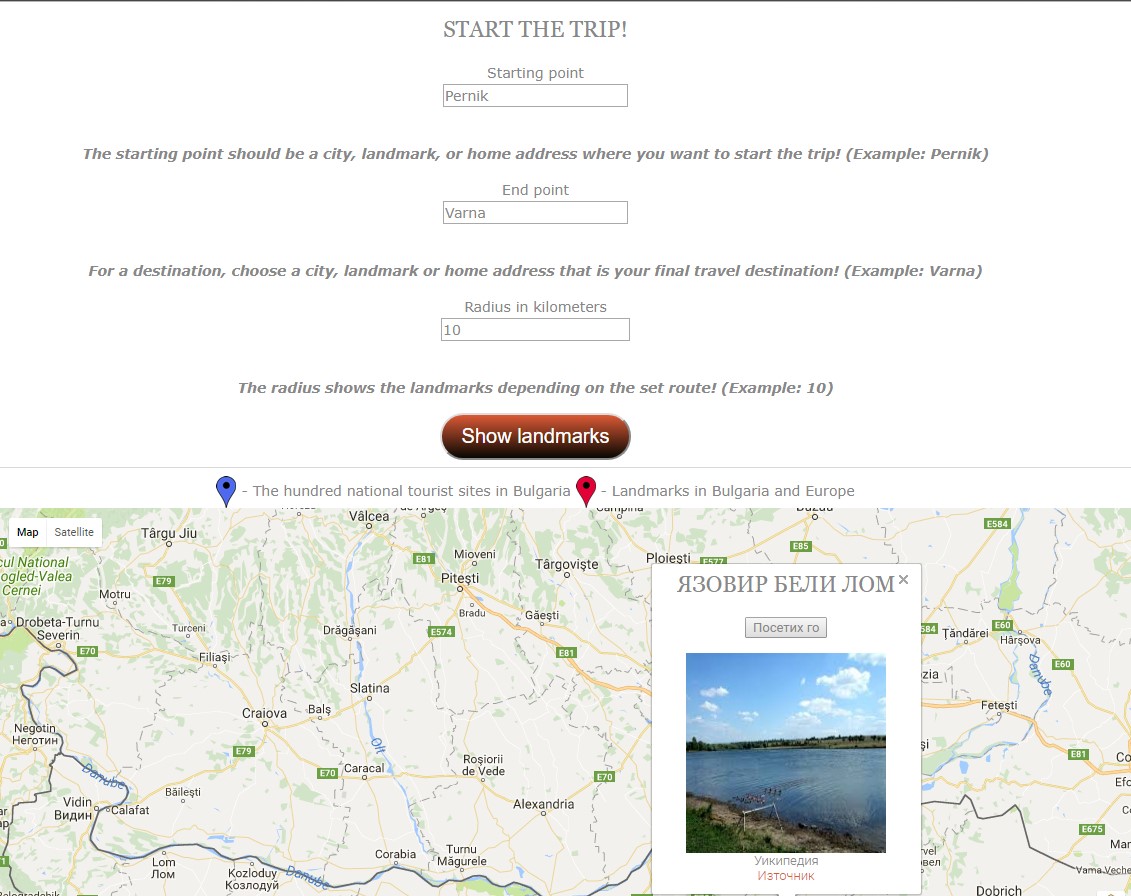
The map is an inactive way of discovering landmarks. When we log in, there are three buttons - "Start the trip" , "Close to me" and "Visited by me"
When we click the "Start Trip" button, three fields appear (Start Point, Endpoint, and Radius). In the "Start Point" field, enter City, Place, or Landmark from where we want to go. The "Endpoint" field is set to City, Place, or Landmark where we want to reach.
In the "Radius" field, we enter numbers in kilometers from which circles are displayed within a radius of the specified kilometer of the road. When we have entered this data, we click the "Show Landmarks"."button". The map processes these data and shows you the landmarks that are entered in the database.
Project №500 by Alex Milchov and David Ivanov for NOIT 2017